What's New · November 2026

November 2026 Product Update

Plan your Weekly Insight authors, answer from your inbox, and see the week front and center.

  • Weekly Insight Author Pipeline
  • Select answers from email
  • A dashboard built around the week
  • The Fundamental at the top of your emails
  • Reports, reorganized
  • +3 more
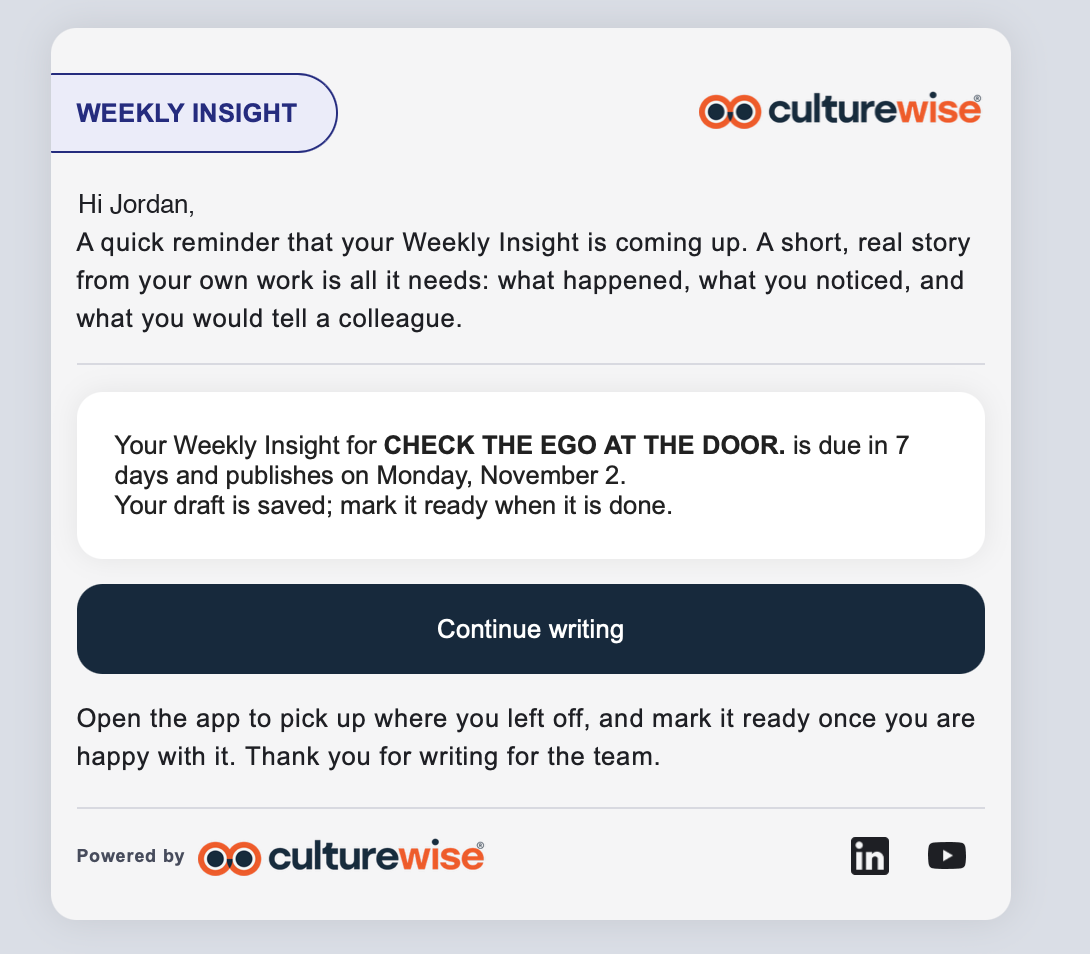
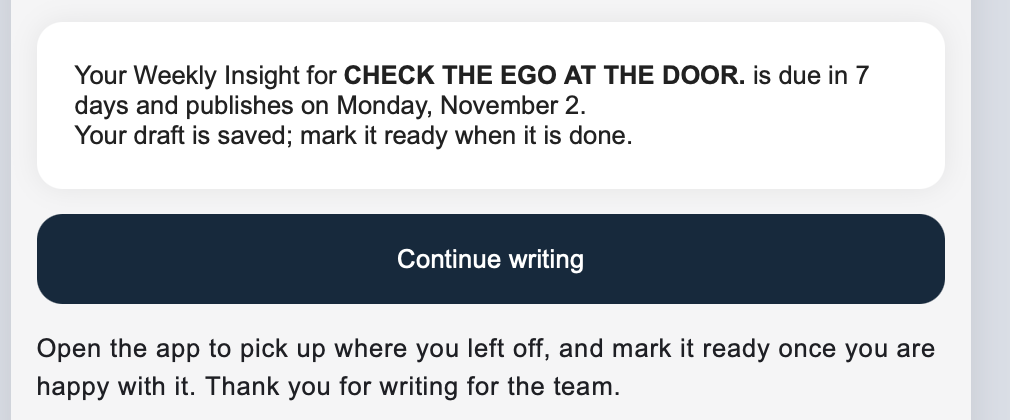
A Weekly Insight reminder email with the draft saved and a Continue writing button
New

Weekly Insight Author Pipeline

Automate your Weekly Insight process, from assignment to approval.

  • Assign authors for an entire round of Fundamentals at once
  • Assigned authors see their Weekly Insight on the dashboard, with a link to start writing
  • They get an email when they're assigned, then reminders before it's due
  • They can write, save drafts, and edit right in the app
  • A built-in approval step lets admins review and edit before anything publishes
  • Admins can award points for writing a Weekly Insight
Read the Author Pipeline guide →
The reminder card: the Weekly Insight is due in 7 days and the draft is saved
New

Select answers from email

One click from your inbox to done.

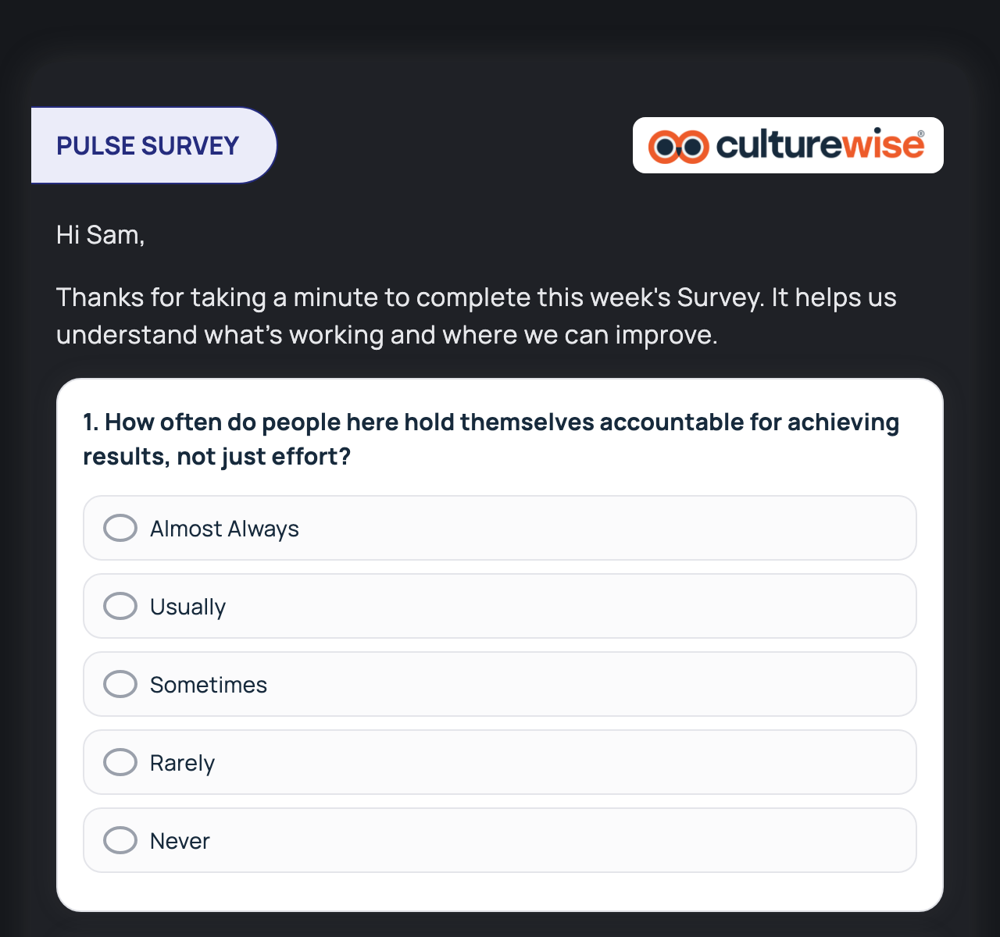
  • Pick your answer right in the email. CultureWise signs you in and opens the question with your answer already selected.
  • Change it if you like, then click Submit.
  • Works for multiple choice lessons and Pulse Surveys, and it's on by default.
A Pulse Survey email with each answer as a button
Improved

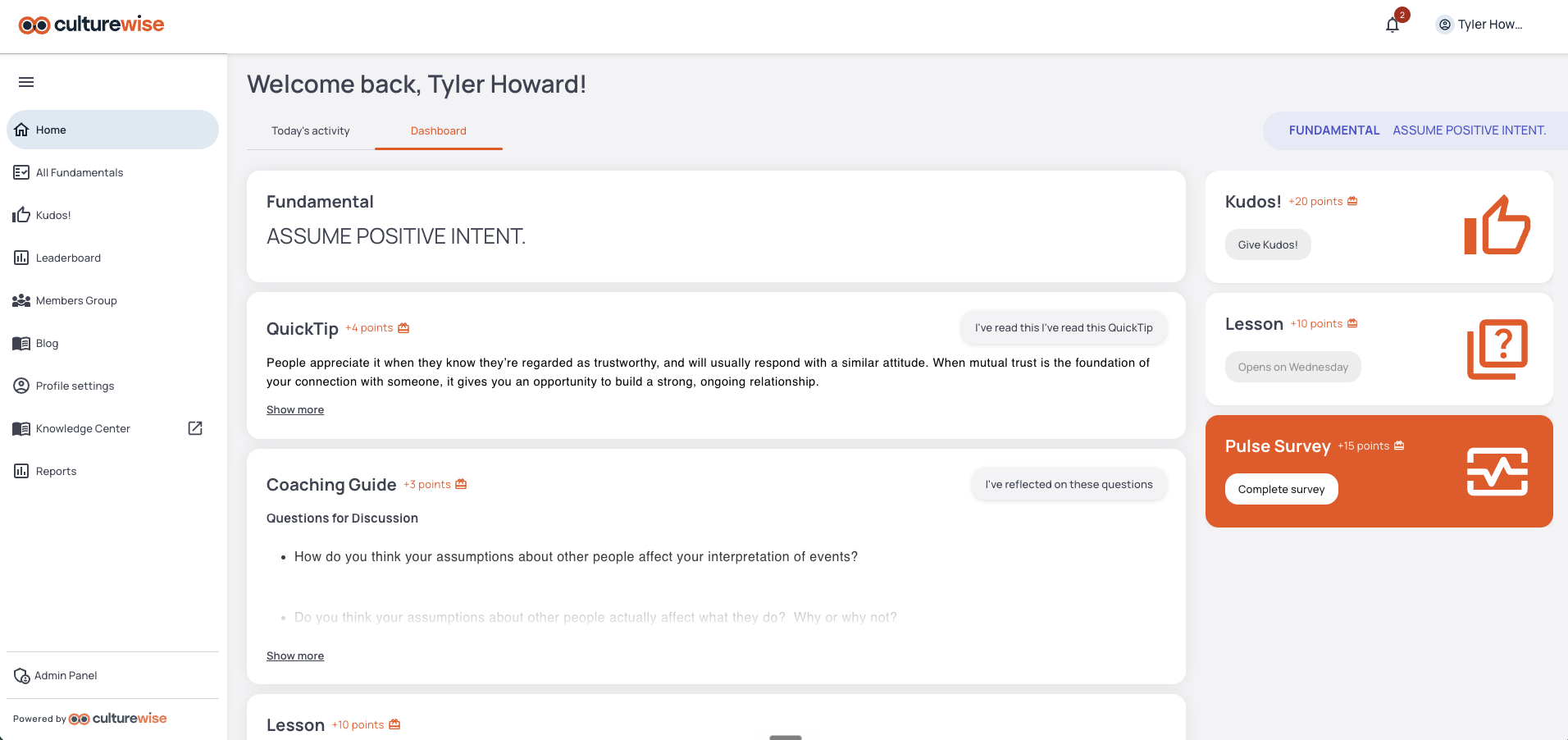
A dashboard built around the week

What matters this week, front and center.

  • The Weekly Insight is pinned to the top, so your team sees it and can comment throughout the week
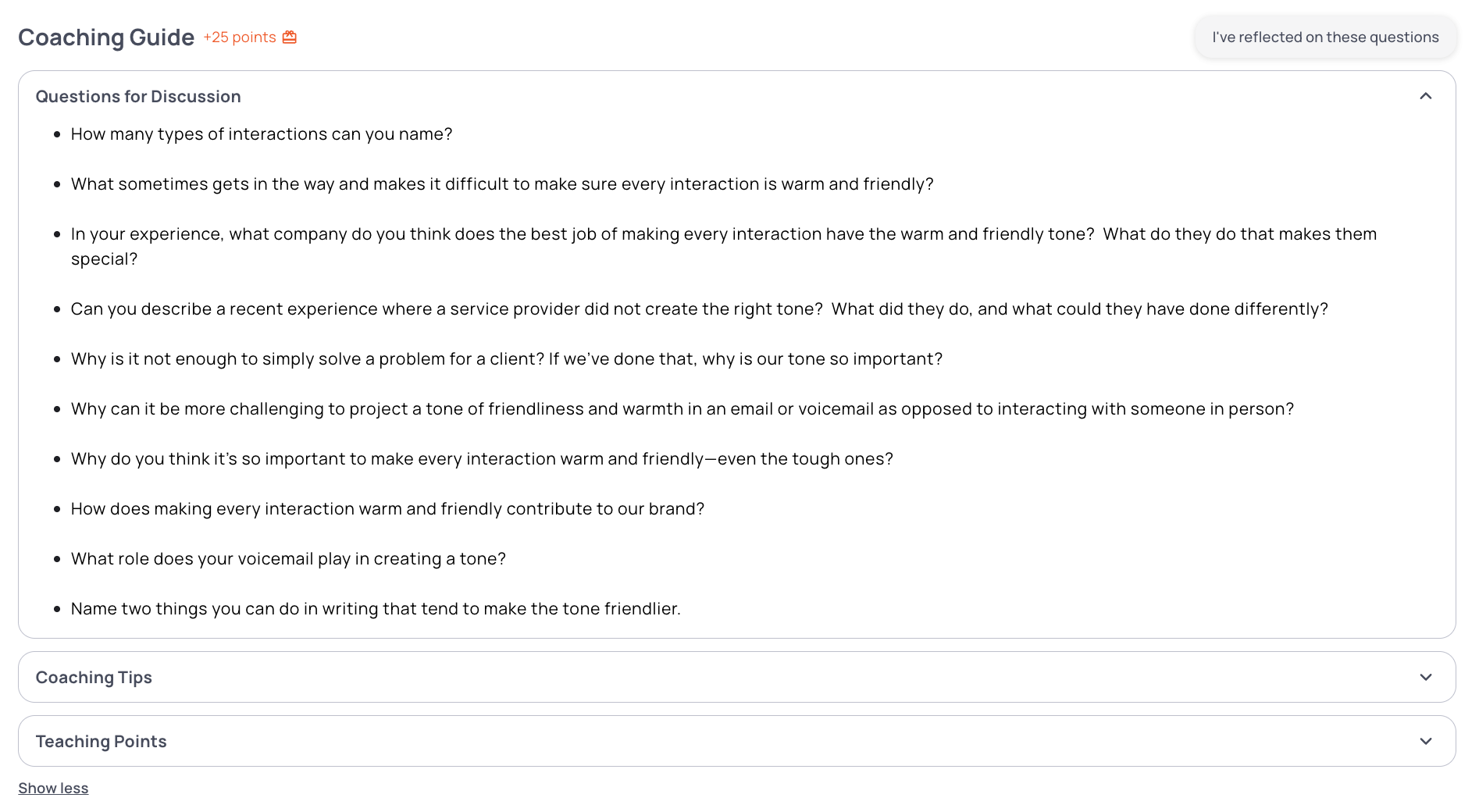
  • The full Coaching Guide is on the dashboard: Coaching Tips, Teaching Points, and Discussion Questions
  • Lessons and Pulse Surveys you haven't finished stay in Today's Activity until they're done
The Coaching Guide on the CultureWise dashboard with Questions for Discussion open
Improved

The Fundamental at the top of your emails

Each message starts with the behavior it reinforces.

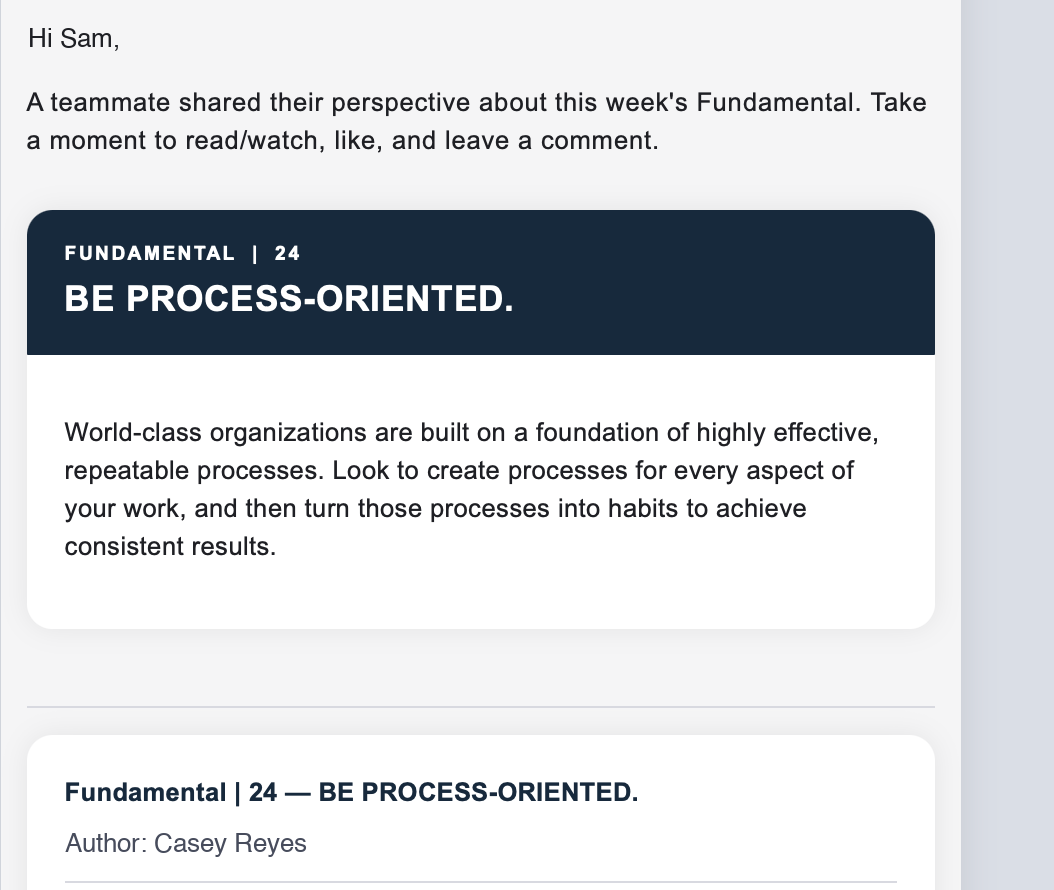
  • Add the Fundamental code to an email template, and the Fundamental's number, name, and description appear ahead of the Weekly Insight or lesson
Read the email codes guide →
A CultureWise email that opens with Fundamental 24, Be Process-Oriented
Improved

Reports, reorganized

Your reports in one place: Admin → Reports.

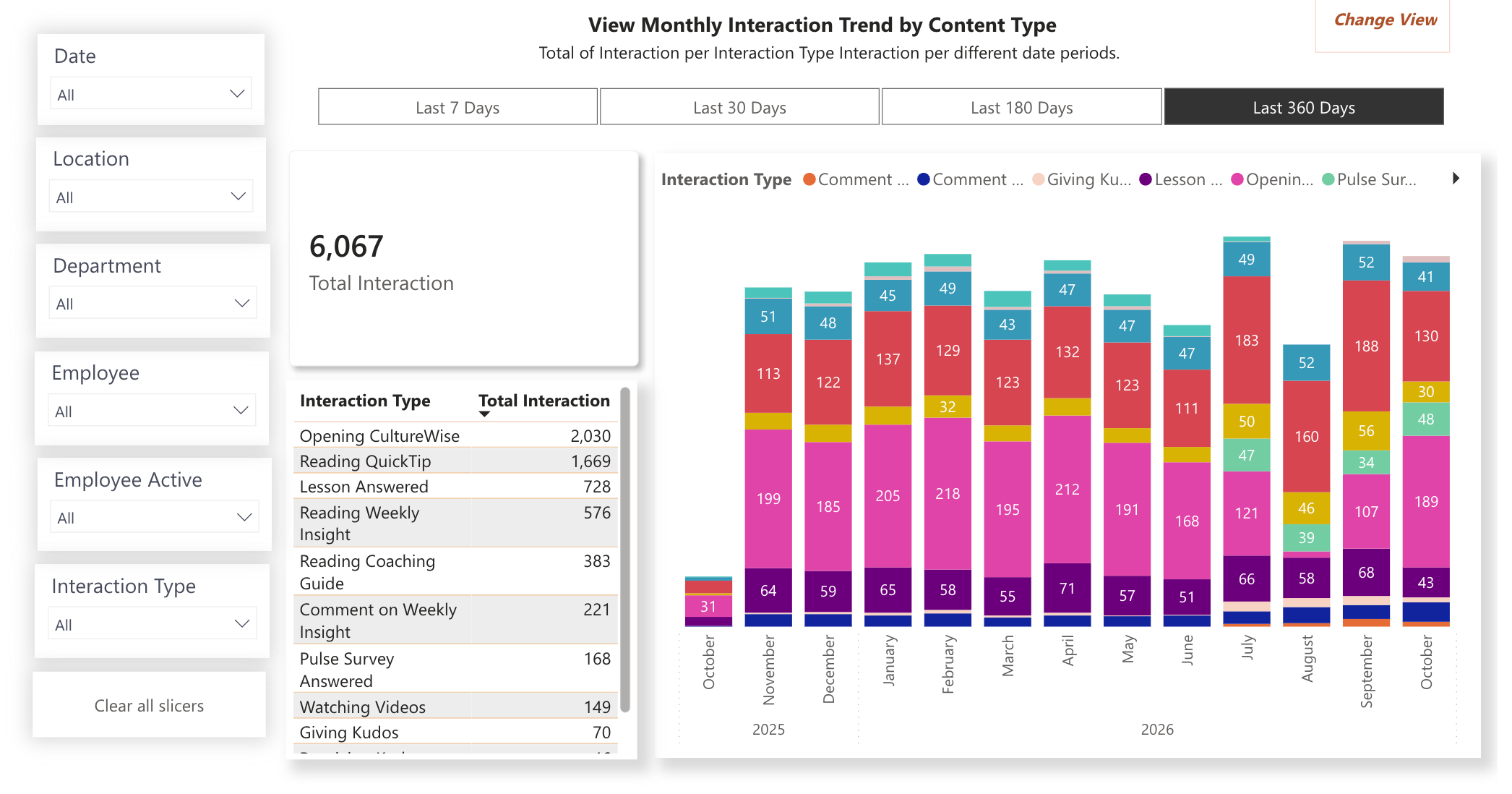
  • Reports are grouped into three tabs: Overview, Activity, and Content Reach
  • Each report shares the same filters: Date, Location, Department, and Employee
Read the Reporting guide →
The Monthly Interaction Trend report in Admin → Reports

Also in this release

New

Tag teammates with @mentions

Type @ in a comment and pick a teammate. Tagged names are highlighted so your team can see who's been pulled in.

Improved

More ways to react

React to Kudos!, Weekly Insights, and comments with updated emojis, including Love and Support. Click the count to see who reacted.

Improved

Stay signed in longer

Sessions now last 60 days by default, up from 14. Your company can extend that to as long as 180 days.